Your customers live on their phones. The parent checking a school fee receipt, the shopkeeper tracking stock, the clinic manager confirming an appointment, the coaching center announcing a new batch — every one of these interactions can happen in a mobile app instead of a phone call or a paper register.
This guide covers mobile app development in Bihar in plain language: the types of apps, what each costs, how long they take, and how schools and businesses actually use them. No jargon, no hype — just the decisions that matter.
First, the basics — what is mobile app development? It is the work of designing, building and maintaining software that runs on phones: planning the screens, writing the code, connecting it to your real data (fees, orders, appointments), and keeping it working after launch. The discipline is the same mobile app development India-wide, from a classroom app in Hajipur to a nationwide product — what changes in Bihar is the budget, the network reality and the adoption math, which is exactly what the rest of this guide covers.
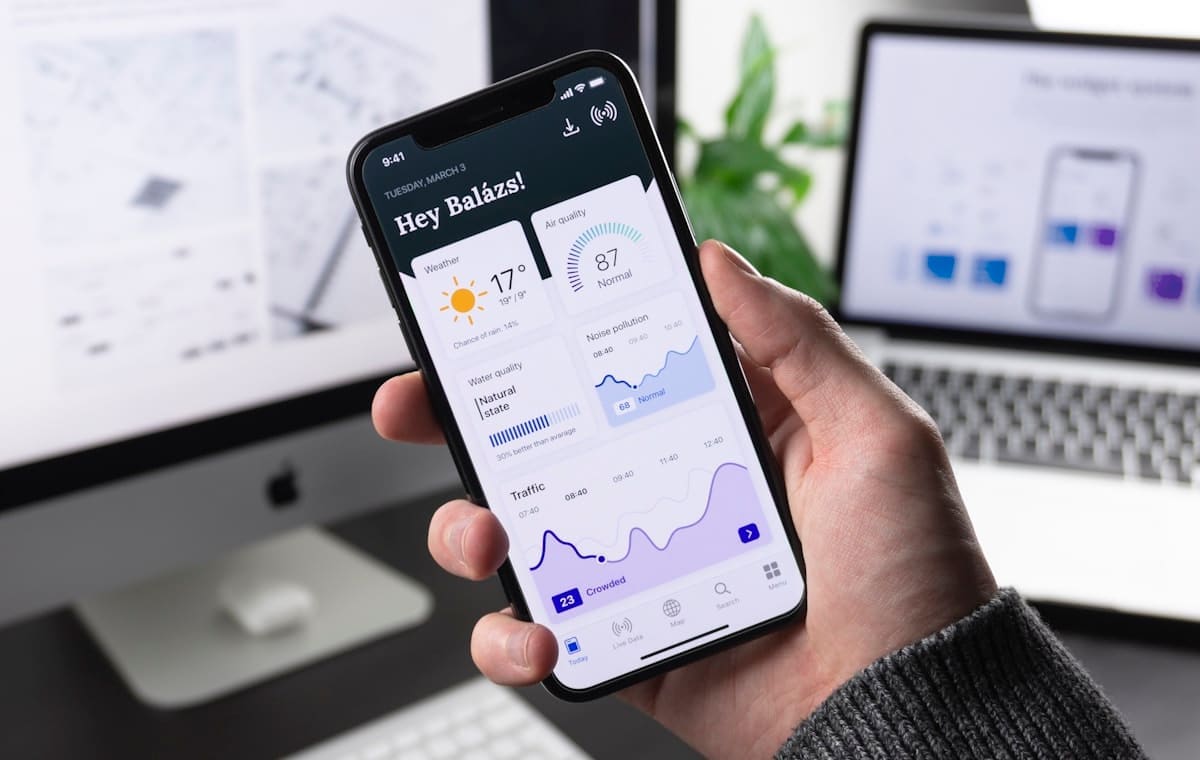
The two app paths: native Android vs PWA#
Before discussing costs, understand the two very different ways to build a mobile app — because most of the confusion in the Bihar market comes from mixing them up.
Native Android app
A real app installed from the Play Store, built with Kotlin or Flutter. It can send push notifications, work offline, use the camera, and feel exactly like the apps you already use.
| Native Android app | |
|---|---|
| Install | Google Play Store |
| Push notifications | ✅ Yes |
| Works offline | ✅ Yes |
| Development time | 6–12 weeks |
| Cost | ₹50,000 – ₹3,00,000+ |
| Updates | Store review each time |
PWA (Progressive Web App)
A website that behaves like an app. Users "install" it from the browser in one tap — no Play Store, no download, no storage worries. It loads instantly, works on any phone, and updates itself automatically.
| PWA instant app | |
|---|---|
| Install | One tap from browser |
| Push notifications | ✅ Yes (with setup) |
| Works offline | ✅ Mostly |
| Development time | 2–6 weeks |
| Cost | ₹15,000 – ₹80,000 |
| Updates | Instant, no store review |
The honest advice: for most schools, coaching centers and small businesses in Bihar, a PWA is the smart first step. It costs a fraction of a native app, reaches both Android and iPhone users, and covers 90% of what an app actually needs — student portals, notices, fee reminders, staff dashboards, order systems. Go native only when you need deep offline work, heavy camera/device features, or Play Store visibility for branding.
So which is best for mobile app development — PWA or native? Run three checks on your feature list: does it need deep hardware access (camera, GPS, Bluetooth), must it work fully offline for hours at a time, and is Play Store presence itself a branding goal? Two or more yeses point native; otherwise the PWA wins on cost, reach across both phone platforms, and upkeep — and the use-case tables below apply this test to real school, shop and clinic scenarios.
What an app costs in Bihar (2026)#
Bihar app prices are lower than metro rates for the same scope, because local teams (like ours in Hajipur) don't carry metro overheads. The honest ranges:
| App type | What it does | Price in Bihar |
|---|---|---|
| PWA instant app | Student/staff portal, notices, enquiries, offline basics | ₹15,000 – ₹50,000 |
| Android app (single platform) | Full app on Play Store, push alerts, admin backend | ₹50,000 – ₹1,50,000 |
| App + ERP integration | App connected to your billing/ERP data live | ₹60,000 – ₹2,50,000 |
| Custom business app | Unique logic, dashboards, integrations, multi-role | ₹1,00,000 – ₹3,50,000+ |
Monthly running costs are minimal — a PWA runs on your existing hosting (₹2,000 – ₹5,000/year); a native app adds the ₹3,100 one-time Play Store developer fee.
What changes the price of an app#
- Platforms — Android only, or Android + iPhone (cross-platform costs more)
- Push notifications — real-time alerts need a backend and service setup
- Admin dashboard — a web panel where you manage data is a second system
- Offline support — syncing data without internet is real engineering
- Integrations — connecting to ERP, payment gateways or SMS adds cost
- Design quality — custom UI with your branding beats template screens
How schools and businesses actually use apps in Bihar#
Schools and institutes
The school app is the highest-value app in the Bihar market. Parents today expect to see:
- Fee receipts and dues — parents check and pay without visiting the office
- Notice board — circulars, exam schedules, holiday notices pushed to every phone
- Attendance and results — term-wise marks and daily attendance
- Homework and messages — direct teacher-to-parent updates
- Admission enquiries — prospective parents browse and apply
A school that combines its app with school ERP software removes the office queue entirely — fees, records and communication all happen in the app parents already have.
Shops and businesses
- Order apps — customers order, you get the order on WhatsApp/dashboard
- Staff apps — daily sales entry, stock checks, attendance from any phone
- Customer apps — loyalty, offers and reorder reminders
Clinics and hospitals
- Appointment apps — patients book, you confirm, reminders go out
- Patient portals — reports and follow-ups in the patient's pocket
Coaching centers
- Batch and test apps — schedules, test results, fee reminders
- Parent communication — progress updates without phone calls
The app development process, step by step#
- Requirement discussion — what the app must do, who uses it, and what problem it solves. This decides PWA vs native and the real scope.
- Design — screens are designed and approved before coding. You see the app before it's built.
- Development — the app is built in stages, and you review working versions.
- Testing — the app is tested on real devices, not just emulators.
- Launch — deployment (browser install for PWA, Play Store for native) plus training for your staff.
- Support — fixes, updates and guidance after launch.
The single biggest timeline driver is content and data — the app needs your logo, fee structure, notice templates and staff list. Projects that wait on this are not slow; they're waiting on you.
Questions to ask before hiring an app developer#
Shortlisting a mobile app development company in Bihar — or anywhere — comes down to the questions below. Ask all eight before paying any advance; the answers separate builders from resellers:
- "PWA or native — which do I actually need?" — a good developer tells you honestly, not the more expensive option
- "Who owns the code and the Play Store account?" — you must own both
- "How do push notifications work?" — real setup, not a checkbox
- "Is there an admin panel where I manage data?" — otherwise you pay per change
- "Can you connect it to my existing ERP or billing?" — integration is where apps pay off
- "What happens after launch?" — updates, fixes and support in writing
- "Can I see a working app you've shipped?" — live app, not a demo video
- "What are the monthly costs?" — hosting, SMS, notifications — get the full number
Common mistakes to avoid#
- ❌ Paying native-app prices for what a PWA would do — get an honest recommendation first
- ❌ No admin panel — you'll pay per change forever
- ❌ App without backend — an app that can't store or update data is a toy
- ❌ Skipping real-device testing — what works on the developer's phone may fail on yours
- ❌ No push strategy — an app nobody gets alerts from gets uninstalled
- ❌ Developer owning your accounts — your Play Store account and code must be yours
App + website + ERP: the connected stack#
The most effective setup for a Bihar school or business is rarely just an app. The stack that actually reduces work:
| Layer | What it does |
|---|---|
| Website | Attracts new customers, shows who you are |
| ERP / billing | Runs daily operations — fees, stock, bills |
| Mobile app | Puts the ERP in everyone's pocket — parents, staff, customers |
When these three connect, a parent's fee payment updates the ERP, which notifies the app, which the office sees on the dashboard — one data entry instead of three. This is where a single full-service partner like ours saves real money: one team, one data model, one support line.
App features by use case: what actually gets built#
Feature lists are where app projects go wrong — everyone wants "everything" until they see the price. Here is what real institutions in Bihar actually need, module by module.
School app module list
| Module | What it does | Essential? |
|---|---|---|
| Student login | Each parent/student gets secure access | ✅ Yes |
| Fee receipt & dues | View receipts, see balance, pay online | ✅ Yes |
| Notice board | Circulars and announcements to all phones | ✅ Yes |
| Attendance view | Daily attendance for parent | ✅ Yes |
| Results | Term marks and report cards | ✅ Yes |
| Teacher–parent messages | Direct, recorded communication | 🔶 Recommended |
| Homework / diary | Daily homework posts | 🔶 Recommended |
| Transport tracking | Route and stop info | 🔶 Recommended |
| Gallery | Event photos and videos | 🔶 Recommended |
| Online admission | New parent applications | 🔶 Recommended |
Coaching center app module list
| Module | What it does | Essential? |
|---|---|---|
| Batch & schedule | Batch timings, teacher, room | ✅ Yes |
| Test & results | Test schedule, marks, rank | ✅ Yes |
| Fee & instalments | Dues, reminders, receipts | ✅ Yes |
| Study material | Notes and PDFs | 🔶 Recommended |
| Doubt support | Question to teacher | 🔶 Recommended |
| Parent updates | Progress messages | 🔶 Recommended |
Shop / business app module list
| Module | What it does | Essential? |
|---|---|---|
| Catalog | Products with photos and prices | ✅ Yes |
| Order entry | Customer places order | ✅ Yes |
| Order dashboard | You see and confirm orders | ✅ Yes |
| Notifications | Order status, offers | ✅ Yes |
| Payments (UPI/card) | Online payment integration | 🔶 Recommended |
| Staff app | Daily sales and stock from phone | 🔶 Recommended |
Clinic / hospital app module list
| Module | What it does | Essential? |
|---|---|---|
| Appointment booking | Patient books a slot | ✅ Yes |
| Doctor schedule | Visible timings and availability | ✅ Yes |
| Reminders | Automated appointment alerts | ✅ Yes |
| Reports | Lab reports and follow-ups | 🔶 Recommended |
| Prescription history | Past visits and medicines | 🔶 Recommended |
The app tech stack, explained simply#
You don't need to become a developer, but knowing the three layers helps you ask the right questions:
1. Frontend (what the user sees)
- PWA — built with web tech (HTML/CSS/JS or React), installs from the browser. One build works on Android and iPhone.
- Native Android — built with Kotlin (Google's language) or Flutter (Google's cross-platform framework). Installed from Play Store.
2. Backend (where data lives)
Every real app needs a server that stores data and serves it. Options:
- Your existing server / hosting — a PWA often rides on your current hosting (₹2,000 – ₹5,000/year)
- Cloud backend (Firebase, Supabase) — managed service, scales easily, monthly cost
- Integrated with your ERP — the app reads and writes to your billing system directly
3. Admin panel (what you control)
A web dashboard where you manage students, notices, fees, orders or stock. Never accept an app without an admin panel — otherwise every change costs you a developer call.
Design principles for Indian users#
Apps fail in Bihar for design reasons more than technical ones. The principles that matter:
- Works on low-end phones — most users have 2–4GB RAM Android devices; the app must be light and fast, not flagship-optimized
- Works on 4G, tolerates 3G — optimize data usage; don't assume fast WiFi
- Hindi + English — both languages in the interface where users need them
- Big buttons, clear text — older parents use these apps too
- Offline-first where possible — data should work even when the network dips
- WhatsApp-friendly — notifications and share options should connect to WhatsApp, the app people already use
A developer who asks about your users' phones and networks is a professional. A developer who shows you a demo on a ₹50,000 phone and nothing else is selling you a demo.
Testing: the step everyone skips#
Testing is where apps live or die:
- Real devices — the app must run on the actual phones your users have, not just an emulator
- Network conditions — test on 4G and poor signal, not just office WiFi
- Push notifications — delivered reliably even when the app is closed
- Backup restore — what happens if a user changes phones
- Concurrent users — fee season means everyone opens the app at once
Ask your developer how many real devices they test on and what their testing checklist covers. A good team has an answer; a freelancer "screenshotting from an emulator" doesn't.
Launching and growing your app#
Building is half the job; adoption is the other half. A launch plan for a school app:
- Pilot with staff first — teachers and office staff use it for 2 weeks; fix issues before parents see it
- Soft launch with one class — one batch of parents, collect feedback
- Full launch with training — send a simple Hindi/English guide: how to install, log in, find the fee receipt
- Announce everywhere — WhatsApp groups, notice board, parent meetings
- Measure and improve — track logins, which features are used, and ask for feedback
Adoption red flags
- Parents "installed" but never log in — the login or first screen is confusing
- Everyone asks the same question — your guide didn't explain it
- Notifications go unseen — the push setup is weak or the message isn't relevant
An app that sits unused is worse than no app — it's a wasted investment that erodes trust. Budget for launch support, not just development.
Data, privacy and ownership#
Sensitive data — student records, fees, patient details — demands straight answers:
- Who owns the data? You do. It must be exportable anytime (CSV/Excel at minimum)
- Where is it stored? On your server or a named cloud provider, not on some unknown machine
- Who can see it? Role-based access — parents see their own child, teachers see their classes, admins see everything
- Is it backed up? Automatic backups with a recovery test, not just a checkbox
- What if you change developers? You must be able to leave with your data and your code
These aren't legal niceties — they're the difference between owning your system and renting someone else's.
App maintenance and updates#
An app is not "done" at launch. Plan for:
- OS updates — new Android/iOS versions arrive yearly; apps must be tested and updated
- Content updates — new notices, batches, products — handled by your admin panel
- Bug fixes — real usage finds real bugs; a support window matters
- Feature requests — what users ask for after launch
- Backups and security — regular, tested
A sensible arrangement: a 30–90 day free support window after launch, then an optional monthly/quarterly maintenance plan. Budget a few thousand rupees a year for app health — it's a fraction of the build cost and prevents the app from silently aging out of the store.
Local proof for Bihar#
In Bihar, most people's first and only computer is their phone. A PWA or app works on the cheapest Android phone with a 4G connection — no PC required. Schools in Patna, Hajipur and every district can push fee reminders and notices to parents who would otherwise visit the office. Businesses can take orders on WhatsApp while their app handles the records. Teams based in Bihar understand this mobile-first, data-light reality and build apps that work on real local devices and networks — not just flagship phones on office WiFi.
Frequently asked questions#
How much does mobile app development cost in Bihar?
A PWA instant app costs ₹15,000 – ₹50,000, an Android app ₹50,000 – ₹1,50,000, and app + ERP integration ₹60,000 – ₹2,50,000. Native custom apps run ₹1,00,000+.
What is a PWA and should I use one?
A PWA is an app-like website that installs from the browser in one tap. For most schools and small businesses it's the smart first step — cheaper, faster, and reaches Android + iPhone users.
Do I need a native Android app?
Only if you need deep offline work, heavy device features (camera, GPS), or Play Store branding. If you mainly need portals, notices and dashboards, a PWA covers it.
How long does it take to build a mobile app?
A PWA takes 2–6 weeks; a native Android app 6–12 weeks; app + ERP integration 8–16 weeks — depending on features and how fast you provide content.
Can my app connect to my school ERP or billing software?
Yes — app + ERP integration is one of our standard offerings. The app reads and updates the same data as your billing system, so you don't enter anything twice.
Will the app work on iPhone?
A PWA works on both Android and iPhone automatically. A native app built for Android only needs a separate iPhone build — cross-platform costs more, so it's a deliberate choice.
How do push notifications work for schools?
The school or its admin sends a notice once; the app pushes it to every parent's phone instantly. No phone calls, no WhatsApp groups that get buried.
Who owns my app after it's built?
You do — the code, the admin panel, and the Play Store account are handed over to you. A professional team works with your ownership from day one.
What are the running costs of an app?
A PWA runs on your website hosting (₹2,000 – ₹5,000/year). A native app adds the one-time ₹3,100 Play Store fee plus optional SMS/notification costs — a few hundred rupees per month at school scale.
Do you build apps for coaching centers?
Yes — coaching apps cover batch schedules, test results, fee reminders and parent communication, often combined with an admission enquiry system and digital marketing.
Can I change the app after launch?
Yes. Small fixes after launch are covered in the support window; new features are quoted per task. A maintenance agreement keeps your app updated with new Android versions.
Is an app worth it for a small business?
If your customers or staff would benefit from instant access to your information — orders, stock, updates — yes. Start with a PWA to prove the value before investing in native.
How is app development different from website development?
A website attracts and informs visitors; an app serves your existing customers and staff with instant, personal access. Websites and apps work best together — the website brings people in, the app keeps them engaged.
Can I start with a simple app and add features later?
Yes — and we recommend it. Launch with the essential modules (login, notices, fees), prove adoption, then add results, homework, payments or transport in later phases. This keeps the first launch fast and affordable.
Do you help with the Play Store submission?
Yes — for native apps we handle the Play Store account setup, submission and review process, and guide you through Google's requirements so the app gets approved first time.
What if my staff or parents don't use the app?
Adoption is a launch job, not a build job. We provide a simple Hindi/English user guide, training for your team, and a phased launch plan (staff first, then one batch, then full launch) that turns installation into daily use.
Is my data safe in the app?
Yes — data is stored on your server or a named cloud provider, backed up automatically, and protected by role-based access. You can export everything anytime, and you own your data and code.
Can the app send fee reminders automatically?
Yes — the admin panel can schedule reminders for overdue fees, and the app pushes them to parents automatically. This alone typically recovers the app's cost within a year.
Send us your app idea — who will use it, what it must do, and whether you already run ERP or billing software — and we will reply with a written plan, honest PWA-vs-native advice and a quote within 24 hours.