Every institution in Bihar runs on records — fee receipts, admission forms, bills, stock, attendance. Most still manage these in registers, Excel files and WhatsApp messages. The moment a business crosses a few hundred transactions, that manual system starts leaking money: missed fees, duplicate entries, lost bills, and zero reports when you need them.
ERP (Enterprise Resource Planning) software replaces those scattered systems with one connected platform. This guide explains the complete picture of ERP and billing software in Bihar in 2026 — what it is, what it costs, which type your school, hospital, restaurant or shop needs, and how to choose without overpaying.
What is ERP, really?#
ERP is one system that runs your daily operations. Instead of separate registers for fees, stock, bills and attendance, everything lives in one connected database — and every action updates every related record automatically.
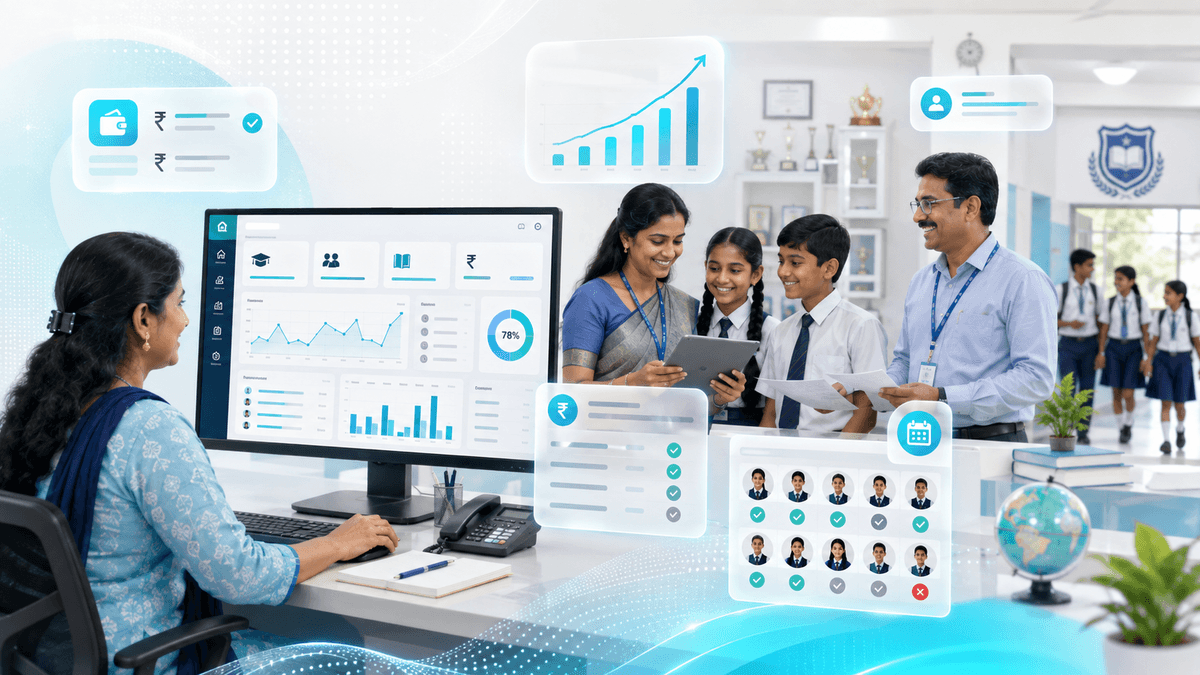
For a school: a fee payment updates the student's ledger, the receipt prints, the dashboard shows the day's collection, and the parent's app shows the new balance — all from one entry.
For a shop: a sale reduces stock, prints a bill, updates the day's takings and adds to the GST report — one scan, everything else automatic.
That is the entire value of ERP: enter once, everything follows.
The main ERP types in Bihar#
1. School ERP — fees, admissions, attendance
The most popular ERP in Bihar, and the one with the clearest return on investment. It covers:
- Fee management — structure, receipts, dues, reminders, online payments
- Admissions — enquiries, applications, documents, seat status
- Attendance — staff and student marking, daily reports
- Exams & results — marks entry, report cards, term analysis
- Communication — notices, circulars and messages via app or SMS
- Transport & hostel (optional) — routes, stops, room allotment
Who it's for: private schools, coaching centers and institutes running fee-based operations. Learn the full cost breakdown.
2. Hospital / clinic billing — OPD, IPD, pharmacy
Hospital software manages the patient's entire journey:
- OPD billing — registration, doctor fees, medicines, tests
- IPD — room charges, nursing, doctor visits, discharge bills
- Pharmacy — medicine stock, expiry alerts, sales
- Lab & reports — test records, report printing
- Doctor dashboards — daily patient lists, revenue
Who it's for: clinics, nursing homes, hospitals and pharmacies. Full hospital billing breakdown.
3. Restaurant / hotel POS
- KOT (Kitchen Order Tickets) — orders flow to the kitchen automatically
- Table management — billing per table, split bills
- Inventory — raw material stock, wastage tracking
- Room booking — hotel check-in/out, tariffs
Who it's for: restaurants, cafes, hotels, guest houses and catering businesses.
4. Retail / shop billing
- Billing — fast billing with barcode/QR scanning
- Stock & inventory — purchase, stock levels, low-stock alerts
- GST — tax-inclusive billing, GST reports
- Daily reports — sales, profit, top products
Who it's for: shops, distributors, boutiques and any retail business.
What ERP software costs in Bihar (2026)#
| System type | What you get | Price in Bihar |
|---|---|---|
| Single-counter billing (shop/restro) | Billing, stock, daily reports, 1–2 users | ₹8,000 – ₹25,000 |
| School ERP | Fees, admissions, attendance, parent app | ₹15,000 – ₹60,000 |
| Hospital/clinic software | OPD/IPD, pharmacy, reports | ₹20,000 – ₹80,000 |
| Multi-branch / custom ERP | Multiple locations, custom workflows | ₹60,000 – ₹2,50,000+ |
Most vendors in Bihar also offer yearly support of ₹3,000 – ₹15,000 for updates, backups and help — factor that in. And unlike a website, an ERP is a recurring partner — you'll use it daily, so support quality matters more than the upfront price.
What changes the price of an ERP#
- Number of users — 5 users vs 100 users changes the system design
- Online payments — fee/order payments need gateway integration
- Parent/student app — the app layer adds real cost
- Printing & barcode — thermal printers, barcode labels, QR
- SMS/WhatsApp alerts — notification credits are recurring
- Custom reports — your exact formats and dashboards
- Data migration — moving your old Excel/register data in properly
The hidden cost of NOT having ERP#
Let's be honest about why institutions buy ERP — it's not convenience, it's money:
- Unpaid fees — without automated dues tracking, a 200-student school quietly writes off ₹1–2 lakh in forgotten dues per year
- Duplicate entries — registers and Excel drift apart, and reconciling takes hours
- No stock visibility — shops lose money on expired, missing or stolen stock
- Slow billing — long queues lose customers to the shop next door
- Zero reports — you can't answer "how much did we earn in July?" without days of manual work
A ₹20,000 school ERP that recovers even one year of missed fees has paid for itself ten times over. If you are still weighing options, our local billing software near me guide shows how to compare systems available in your own town.
Questions to ask before buying ERP software#
- "Can I export all my data?" — you must never be locked in
- "Who owns the data — where is it stored?" — local or cloud, and whose server
- "How long does training take?" — staff adoption is the make-or-break factor
- "What happens if I stop paying support?" — does the system stop working?
- "Is the parent app included?" — separate cost or bundled?
- "Can it handle my exact fee/stock structure?" — show them your real case
- "How are updates and backups handled?" — automatic or manual?
- "Can it print my existing bill formats?" — thermal/A4/GST formats matter
- "What if I grow to another branch?" — is multi-branch possible later?
- "Who do I call when it breaks?" — same-day support or a ticket queue?
Common mistakes to avoid#
- ❌ Buying on demo looks — the demo is always perfect; test with YOUR data
- ❌ No data export plan — you must be able to leave with your records
- ❌ Skipping staff training — software that staff won't use is wasted money
- ❌ Ignoring backup — one hard-disk failure can erase years of records
- ❌ Customizing everything — heavy customization makes updates slow and costly
- ❌ No support plan — the cheapest vendor is expensive the first time it breaks
ERP + website + app: one connected system#
The strongest setup in the Bihar market connects all three layers:
| Layer | Job |
|---|---|
| Website | Attracts students/patients/customers |
| ERP / billing | Runs fees, stock, bills, records |
| Mobile app | Puts the ERP in every parent/staff pocket |
When they connect, a fee paid from the parent's app updates the ERP instantly, and the office dashboard and receipt follow automatically. One entry, three systems in sync. This is where a single partner delivers real savings — one team, one data model, one support line.
The ERP modules, module by module#
Understanding the modules helps you buy what you need — and refuse what you don't. Here is what each module actually does:
1. Fees / billing module (the core)
- Fee structures by class/stream/category
- Receipt printing (A4 and thermal)
- Dues tracking with automatic reminders
- Part payments and instalments
- Online payment (UPI/card) with instant ledger update
- Daily, monthly and yearly collection reports
2. Admissions / customer module
- Enquiry capture (walk-in, phone, WhatsApp, website form)
- Application and document tracking
- Approval workflow and seat confirmation
- Student/customer master records
3. Inventory / stock module
- Purchase entry with supplier records
- Stock levels with low-stock alerts
- Barcode/QR support
- Expiry tracking (pharmacy, food)
- Wastage and adjustment entries
- GST-compliant stock reports
4. Attendance / HR module
- Daily marking (staff and students)
- Late and leave records
- Payroll-ready data (for staff)
- Reports by class, month or individual
5. Reports and dashboards
- Collection summary by day/week/month
- Outstanding and dues report
- Profit and stock report for shops
- Doctor and department revenue for hospitals
- Owner dashboard — one screen, everything
Ask the vendor to demo your exact report — "show me last month's fee collection by class" — and watch whether it takes seconds or a phone call.
GST, billing formats and compliance for Bihar businesses#
Billing software in India must handle GST correctly. What to verify:
- GST-compliant invoices — correct tax slabs, HSN codes, and your GSTIN printed
- GST returns data — exportable purchase/sales data for GSTR-1 and GSTR-3B
- E-invoice readiness — for businesses above the threshold, the software should support e-invoicing
- Bill formats — your existing A4 or thermal format reproduced exactly
- Multi-business support — if you run two shops or entities, separate books with one login
A shop or distributor that outgrows handwritten bills needs GST-clean billing before the tax department asks questions — not after.
Cloud vs local server: which to choose#
A real decision every ERP buyer faces:
| Cloud ERP | Local (on-premise) ERP | |
|---|---|---|
| Access | Anywhere, any device | Only on your network |
| Internet needed | Yes (or offline mode) | No for local use |
| Backups | Automatic, off-site | Manual, on your disk |
| Security | Vendor-managed | Your responsibility |
| Cost | Monthly/yearly fee | One-time + support |
| Best for | Multi-location, mobile users, apps | Single-site offices, weak internet |
The honest answer: for most single-site schools, shops and clinics in Bihar with average internet, a local setup with smart backups works well and is cheaper long-term. For institutions with multiple branches, parent apps or remote owners, cloud is the right call. Many vendors (including us) offer both — pick the one that matches your reality, not the vendor's margin.
Data migration: moving from registers and Excel#
Switching systems fails most often at the migration step — old data gets lost, duplicated or garbled. A proper migration plan:
- Audit what you have — which registers, Excel sheets and paper records are actually needed
- Clean the data — remove duplicates and errors before importing (garbage in, garbage out)
- Import in stages — students/customers first, then fees/bills history, then balances
- Reconcile — a week of parallel running (old and new together) to verify totals match
- Go live — only when the numbers agree
Ask your vendor for the migration plan in writing before you sign. A school with 800 students and 5 years of fee history is a real project — not a one-day import.
Backup and disaster recovery#
The most common ERP horror story in Bihar: one hard disk dies, and years of fee records vanish. Your backup strategy must answer:
- How often? Daily is the minimum; multiple times daily for active systems
- Where? Off-site (cloud or another location) — a backup in the same building dies in the same fire
- Tested? A backup you've never restored is a hope, not a plan. Test quarterly.
- How fast can you recover? A target of under 4 hours for full restoration is realistic
- Who is responsible? Name the person and the process
We include automatic, tested backups in our support plans — because fee data is your institution's most valuable asset after your people.
The ROI of ERP: is it worth it?#
Let's do honest math for a 300-student school:
| Item | Without ERP | With ERP |
|---|---|---|
| Forgotten/overlooked fees per year | ₹50,000 – ₹1,00,000 | Near zero (automatic tracking) |
| Office time on fee reconciliation | 5–10 hours/week | 1–2 hours/week |
| Time to produce a collection report | 1–2 days | 10 seconds |
| Parent visits to the office for receipts | Frequent | Rare (app + online) |
| Data loss risk | Registers get lost | Backed up automatically |
A ₹25,000 – ₹40,000 ERP that recovers even half a year of overlooked fees has paid for itself. For shops, accurate stock alone typically covers the cost — stock leakage and expiry losses are usually far larger than anyone admits.
Questions the vendor won't ask you (but you should ask yourself)#
Before you even call vendors, decide:
- Who enters the data, and are they trained? — the office peon can learn to print a receipt; can they learn to run the system?
- What's your internet like during a power cut? — this decides cloud vs local
- Do you need the parent/student app now or later? — buying a system that can grow beats switching later
- Who will you call when it breaks? — is the vendor reachable at 9pm in fee season?
- Can you see a live system at a similar institution? — not a demo, a working example
Local proof for Bihar#
Schools in Bihar handle fee season with queues of parents and registers that take weeks to reconcile — ERP software ends that. Hospitals run emergency counters where billing speed is patient care. Restaurants and shops compete on checkout speed and stock accuracy. Vendors based in Bihar, like our team in Hajipur, build and support these systems in Hindi and English, work with local bill formats and GST rules, and are physically present when training and support matter. We serve schools and businesses across Patna, Hajipur and every district in the state.
District billing and ERP guides#
We have written district-level guides for the billing and ERP questions we hear most:
- Billing software in Patna — retail, GST billing and ERP for the state's biggest market
- Billing software in Hajipur — from our home office, with on-site training
- Nearby districts: Muzaffarpur · Darbhanga · Saran · Vaishali
Frequently asked questions#
What is hospital management software?
Hospital management software is the clinic-grade cousin of ERP: patient registration, appointments, billing, pharmacy or lab records, and staff roles in one system. The hospital version adds department-level billing and report workflows that a shop's billing software never needs — our Patna hospital management guide covers the district-specific version.
How to make hospital management system software — should we build our own?
Building your own sounds attractive until you price it: a usable system takes 4–8 months of development plus years of maintenance, so the real cost lands around 5× a ready system. The smarter route is a proven system customised to your department workflow — you get the fit without owning the bugs.
How much does ERP software cost in Bihar?
Billing software starts around ₹8,000 – ₹25,000, school ERP runs ₹15,000 – ₹60,000, hospital software ₹20,000 – ₹80,000, and multi-branch custom ERP ₹60,000+. Annual support is typically ₹3,000 – ₹15,000.
What is the difference between billing software and ERP?
Billing software handles the counter — bills, stock and daily totals. ERP adds connected modules like admissions, attendance, HR, reporting and apps. Billing is a module inside ERP.
Does school ERP include the parent app?
Usually yes in our packages — the parent/student app is bundled so fee reminders, notices and results reach every phone. Confirm what's included in your quote.
Is my data safe in ERP software?
With a professional vendor, yes — regular automatic backups, role-based access and data ownership in your name. Always ask where data is stored and how backups work.
Can ERP be used without internet?
Yes — most systems work on local networks with offline capability, syncing when connected. This matters for schools and shops with unreliable broadband.
Do you provide training for my staff?
Yes — training is part of every ERP implementation, in Hindi and English, until your team is confident. We don't hand over software and disappear.
Can ERP handle multiple branches?
Yes — multi-branch ERP is possible with consolidated reports across locations. Tell us your branch plan upfront so the data model supports it.
How long does ERP implementation take?
A shop billing system can go live in 1–2 weeks. School or hospital ERP typically takes 2–6 weeks including data migration and staff training.
What is the yearly support fee for ERP?
Typically ₹3,000 – ₹15,000 per year depending on system size — covering updates, backups, bug fixes and phone/remote support. It keeps the system healthy for years.
Can I pay school fees online through ERP?
Yes — online fee payment via UPI/cards is available in our school ERP, and the payment updates the student ledger automatically.
Do you build custom ERP for our exact process?
Yes — if your workflow doesn't fit standard modules, we build custom ERP with your fee structures, reports and dashboards. Custom work is quoted individually.
Is ERP worth it for a small shop?
A single-shop billing system at ₹8,000 – ₹15,000 pays for itself within months through accurate stock, faster billing and proper daily reports — and it's the foundation for growth.
How is 3M Digi Tech's ERP different from big software brands?
We build and support locally in Bihar — Hindi/English training, your exact bill formats, fast same-day support, and integration with our websites and apps. Big brands sell licenses; we deliver working systems.
Can I switch to your ERP from another software?
Yes — we plan and execute data migration from Excel, registers or other software, run a parallel verification week, and only go fully live when your numbers reconcile.
Do you provide free training for my staff?
Training is included in every implementation until your team is confident — in Hindi and English, at your site or remotely, with printed quick-guides your staff can keep.
What happens during a power cut or internet failure?
Our systems work offline on your local network and sync when the connection returns, so billing and fees never stop during outages.
Can I see a demo with my own data?
Yes — bring your actual fee structure, bill format or stock list, and we'll show you the system working with your real numbers before you decide.
Do you support biometric attendance with ERP?
Yes — biometric devices can be linked so attendance data flows directly into the ERP, removing duplicate entry entirely.
Is there a billing software price list I can compare?
Yes — and a fair one: GST billing for a single shop starts at ₹3,000, ERP-grade billing with inventory and reports at ₹8,000–₹15,000, and multi-branch school or hospital ERP from ₹15,000 — every quote itemised module by module. Beware any "price list" that hides the yearly maintenance line; that is where the real cost lives.
How do I run a billing software price comparison between two vendors?
Compare quotes with the same five lines visible: the module list (identical names, or you are comparing different products), the one-time license, the yearly maintenance in writing, what training and data migration include, and who answers when the system fails at month-end. A billing software price comparison that only lines up the sticker prices is how buyers end up paying the difference in hidden AMC fees — the cheapest quote usually wins only until the first filing deadline. Bring us two quotes and we will mark the gaps honestly, even if that means telling you the other vendor fits better.
Is GST billing software free for PC a good option?
Honest answer: free tools handle a handful of invoices and simple stock — until the GST filing gets complex. What breaks first: e-invoice and e-way bill limits, HSN/SAC reporting at scale, multi-godown stock, and having no real support when a filing deadline is hours away. If you bill under a few dozen invoices a month, try free and see; the moment GST filing eats an evening, a paid system (₹3,000 one-time, not per month) pays for itself in one saved filing.
Send us your process details — your school/shop/hospital workflow, current pain points, and whether you need an app or website alongside — and we will reply with a written plan and quote within 24 hours.